
Home › Revisions and shop-floor check
Revision control and outdated-drawing check on the shop floor
A new revision is out, but the paper at the machine is old: the mistake shows only after the part is cut. Three safeguards prevent this; each can be switched on or off for your company.
REVİZYON: R00 → R01
- Part number and file name do not change; the revision is kept in a separate property, so assembly, drawing and vault history stay intact.
- A change note is required and written to the shared revision record.
- If the part is no longer interchangeable (form, fit, function), a new number is suggested instead of a revision.
- An assembly's revision goes up only when its own content changes.
ATÖLYE KONTROL: scan the drawing's QR code
- On the shop-floor computer, with a USB QR scanner; no SOLIDWORKS, no server.
- The screen says CURRENT or OUTDATED in large letters (in Turkish: GÜNCEL / ESKİ RESİM); if outdated, the current revision and the change note.
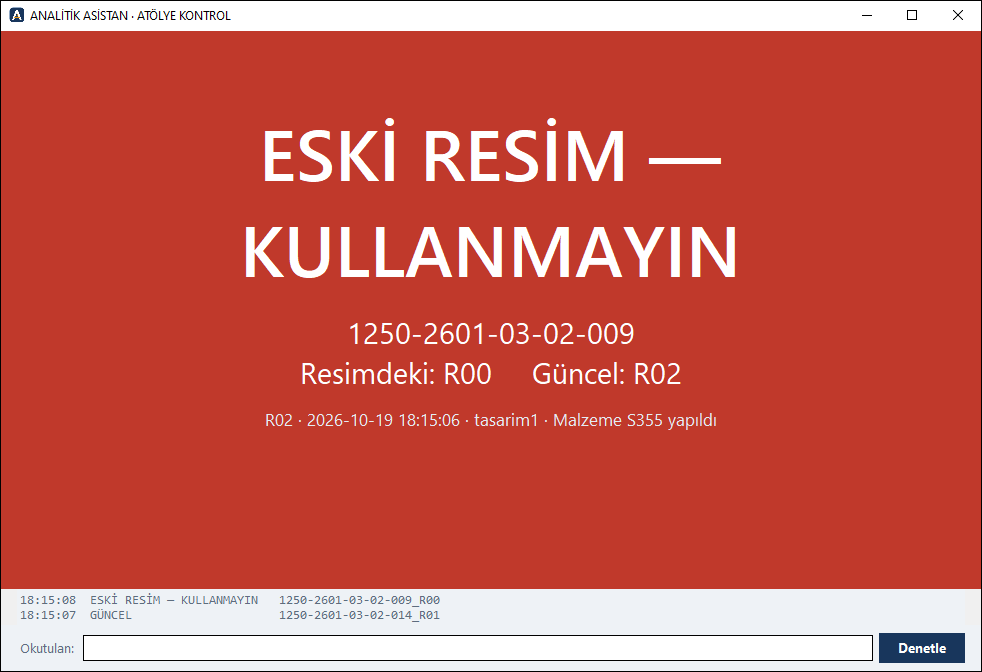
Archive and distribution record
- When the new revision is output, old PDF and DXF files move to an “old revisions” folder and their pages are stamped “INVALID”.
- DAĞITIM: which drawing went to whom at which revision; when the revision goes up, the list of copies to collect back.
- Optional manager approval for multi-user companies: designers send finished work for approval; the manager or a deputy reviews it in SOLIDWORKS and approves or asks for a fix.
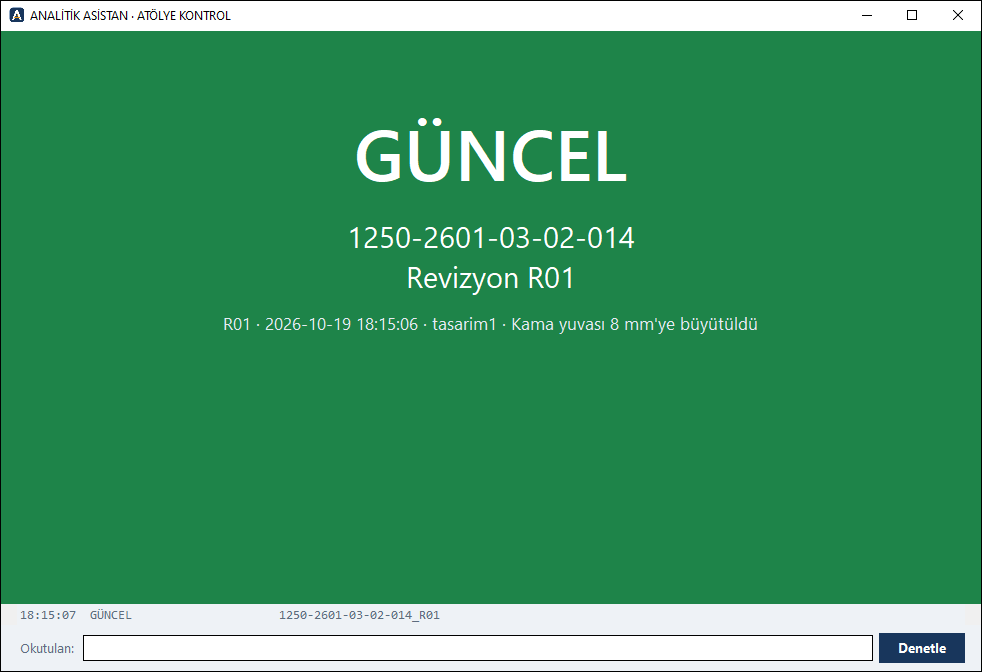
Video: ATÖLYE KONTROL
The drawing's QR code is scanned; the screen shows CURRENT or OUTDATED (52 s, Turkish voice-over).
Try it free for 30 days
All modules enabled. Interface and user guide in English or Turkish.
Download demo
or write to: iletisim@analitikasistan.com