
Home › Drawings and outputs
Drawings, PDF, DXF, DWG, STEP and bill of materials
Drawings and files prepared with the same clicks for every project are produced by MUAVİN in one operation and placed in the right folders.
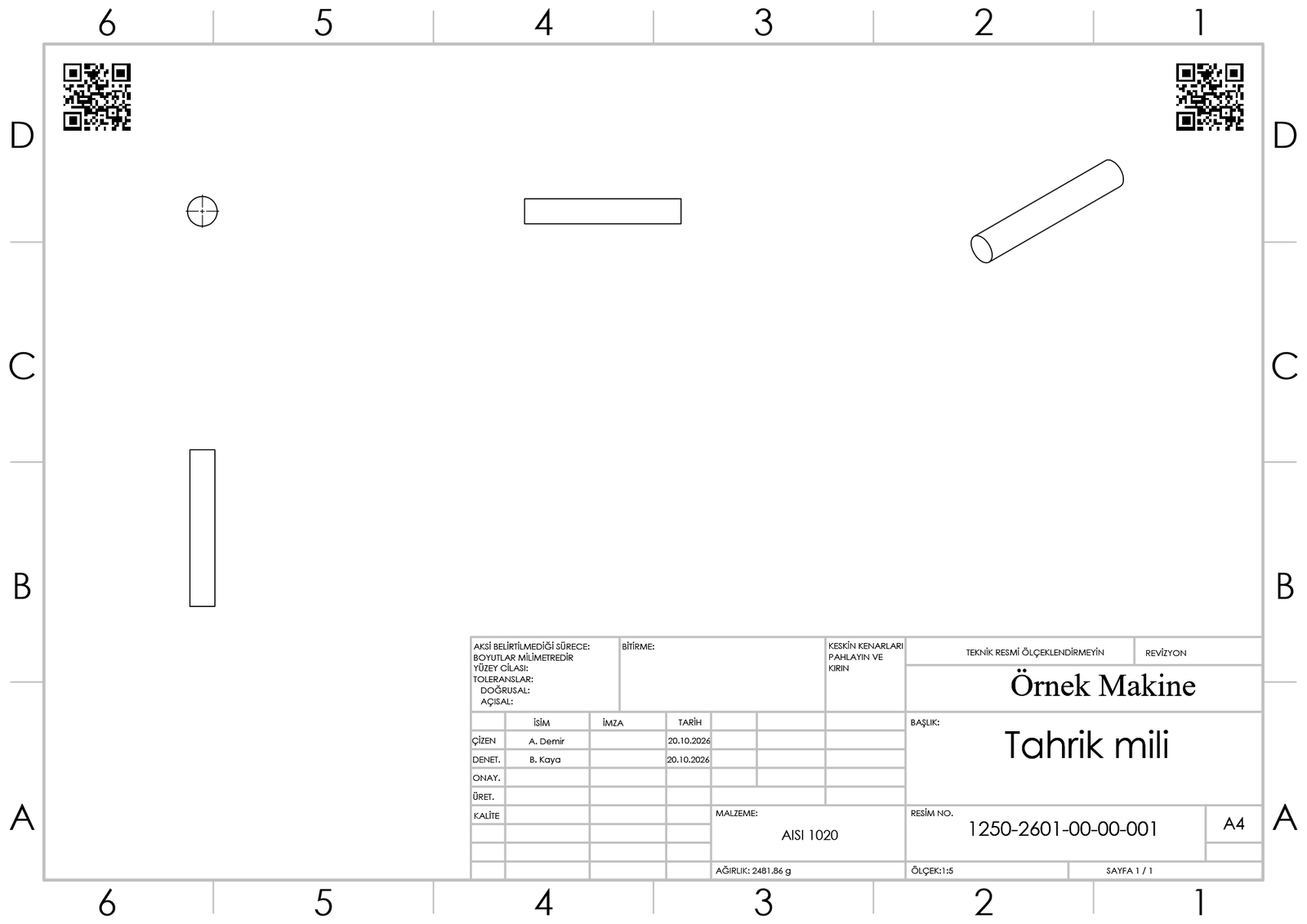
Drawings with your company's title block
- A drawing of one part or assembly, or of the whole project in bulk.
- Sheet size (A4 / A3) chosen by part size; the front view shows the part's longest dimension horizontally and the largest standard scale that fits the sheet is used; flat-pattern view for sheet-metal parts.
- Number, title, material and weight in the title block come from the part's properties; drawn-by and checked-by are asked once and written on all drawings.
- QR codes in the corners of the drawing, to be scanned on the shop floor. When you save a drawing directly in SOLIDWORKS, the program also adds the QR code if it is missing or renews it if it is outdated (QR watcher; can be switched off in AYARLAR).
- Optional “take dimensions from the model”: for part drawings, dimensions marked for drawings and hole callouts are inserted, and views are laid out to leave room for them. Dimensions come from the model, so parts drawn without dimensions or imported from STEP get none; drawings of parts with many dimensions may need a review.
Bulk output
- PDF, DXF, STEP and JPG; the part's QR code.
- Outputs go to the project's own folders (PDF, STEP, JPG, QR).
- Revision-aware file names: the number alone at first release, then number_R01, number_R02…
- PDF and DXF files of the old revision are archived and stamped “INVALID”.
- Export: selected parts and sub-assemblies to their own folder as STEP, IGES, Parasolid (X_T), STL, 3D PDF, eDrawings, JPG, drawing PDF, DXF or DWG, or an SLDPRT copy of an assembly — for example files for a supplier. All sheets of a multi-sheet drawing go into one DXF/DWG, with title block texts preserved.
Updating the title block of existing drawings
- The sheet format (title block) of existing drawings is replaced in bulk with your company's current template — all drawings of the open assembly or of a chosen folder.
- Views, scale, projection angle and drawing data are kept; the QR code is re-inserted; the revision does not change.
- The original of each drawing is copied to an “old title block” folder next to it.
- A4 and A3 landscape sheets only; other sizes are skipped and reported. With PDM, drawings checked in to the vault must be checked out first.
Bill of materials (BOM) and ERP
- The assembly's bill of materials to Excel.
- ERP export: Odoo, Logo, Netsis or Mikro is selected during setup; stock cards and the product structure are written to that ERP's import files (CSV for Odoo, a two-sheet Excel for the others; column names in the ERP's own terms).
- Direct sending to Odoo: a preview shows how many cards are new and how many will be updated; after you confirm, stock cards and the product structure go to Odoo without duplicating existing records. The password or API key stays in the Windows credential store; the setup wizard has a “Test connection” button.
- From ERP into the assembly: the “ERP catalogue” tab of KÜTÜPHANEDE ARA (library search) searches Odoo live, or your company's product list (Excel / CSV) for Logo, Netsis and Mikro. A product with a model in the library is added to the open assembly with that file; one without a model is added as a “virtual component” with its ERP number and description, and goes into the product structure and the bills of materials.
- A separate “Rev” column next to the number column in lists.
Video: MUAVİN
Drawing, dimensions from the model, title block, QR and export (66 s, Turkish voice-over).
Try it free for 30 days
All modules enabled. Interface and user guide in English or Turkish.
Download demo
or write to: iletisim@analitikasistan.com